Let shoppers choose a favorite, uncover an offer, watch an animation made for them or see how close they are to a reward. Six kinds of campaign give subscribers a reason to open your next email, look closer and respond. Create each one in your brand's style and send through your existing email platform.
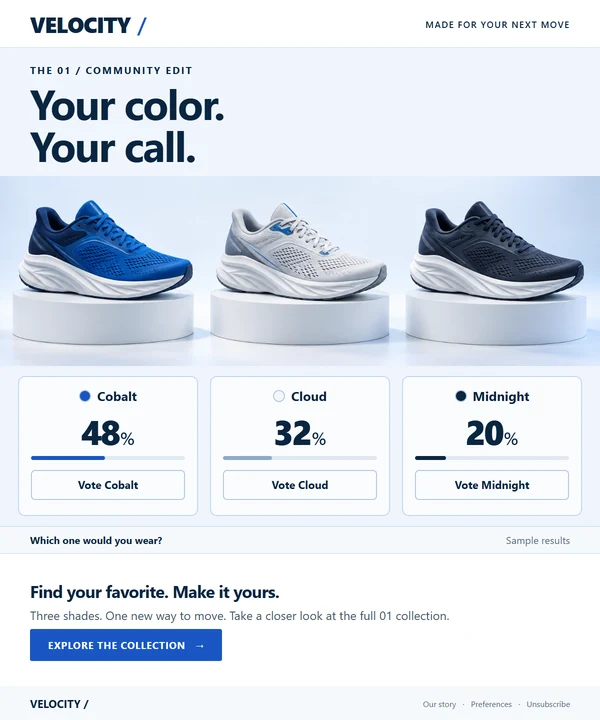
Introducing a collection? Ask shoppers which color they would wear. Give them a say before inviting them to explore the range.
Each choice is a link in your email. The click records a vote and takes the reader to your chosen page. Updated results can appear when the poll image loads again.
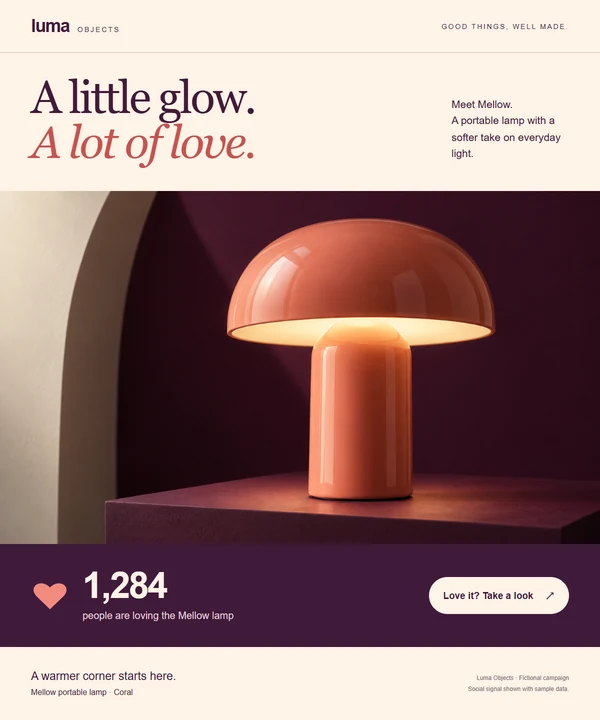
Give readers a way to show they like your new product, then take a closer look. Show the response beside your offer so other readers can see the interest it has attracted.
With Social Signals set to count clicks, the email link adds to the count and takes readers to your product page. The updated count can appear when the image loads again.
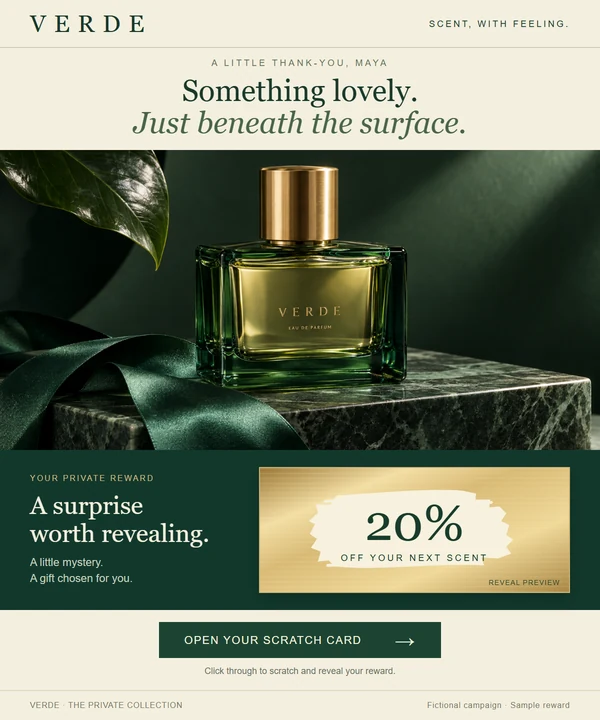
Turn a thank-you promotion into a small surprise. Invite customers to uncover a mystery offer before returning to shop.
The email link opens a NiftyImages-hosted page. Customers scratch away the cover there, see the offer you've chosen and follow your call to action to shop.
A response doesn't have to be a vote. An animation with their name on it, a chart of their own progress or a calendar with their date circled gives a reader a reason to stop scrolling and look, because no one else got the same picture.
Illustrative campaign. Sample member details.
Put their name on every slide.
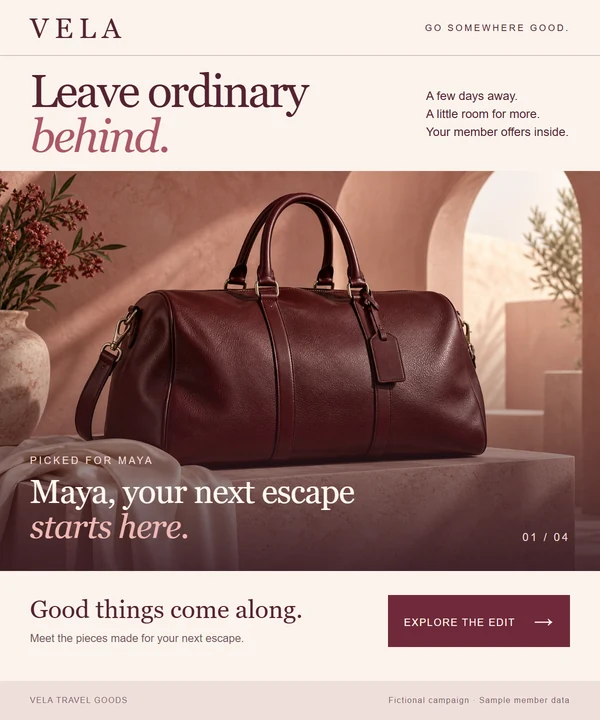
Running a member offer? Play it as a short animation made for each reader. One slide greets them by name, the next shows their price and the next gives them a code of their own.
Each personal slide is a Personalized Image, filled in from your email platform's merge tags. Email apps that don't play animation show the first slide, so put the name there.
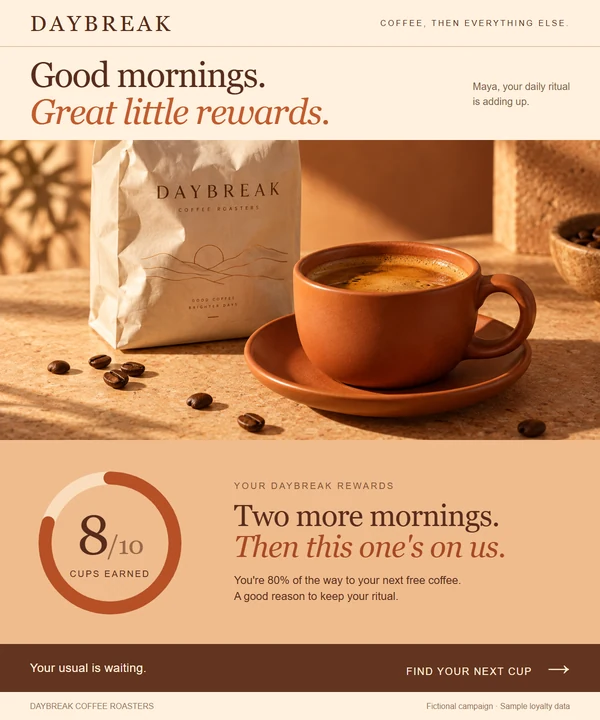
Sending a loyalty update? Turn the points balance into a picture. A ring that reads eight of ten tells a member they are two visits from a free coffee, and gives them a reason to come back.
The chart takes its values from each recipient's details, so every member sees their own progress in your colors and type.
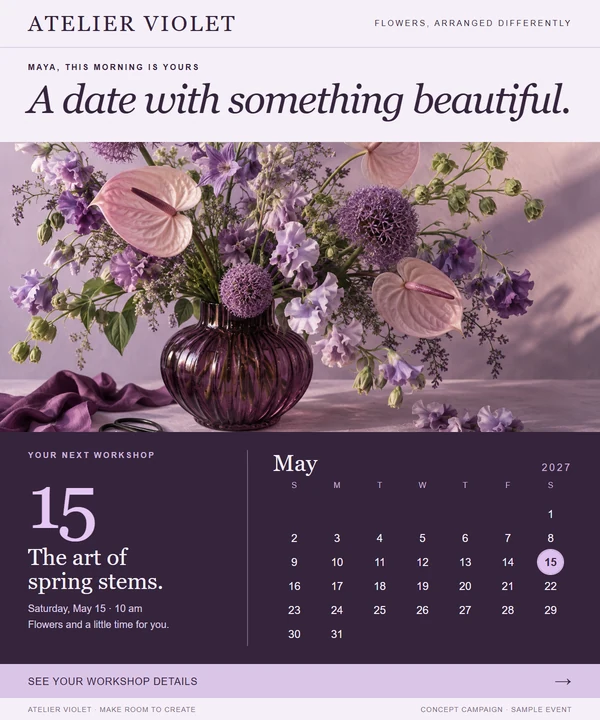
Inviting customers to a workshop, a booking or a renewal? Show a calendar with their date circled. A reader sees when it is, and whether they are free, at a glance.
The highlighted date can come from each recipient's details, in a calendar styled to match the campaign. Keep the date in your email copy too, for readers with images turned off.
A shopper votes for a shoe color and a reader shows interest in a lamp. Then the same email reaches Maya and Theo, and each of them gets their own slides, their own progress chart and their own workshop date.
Illustrative campaigns with sample votes, counts and member details, not customer performance results. Maya and Theo are sample recipients. The animation shows poll and Social Signals updates on the next image load. An already-open email does not redraw continuously, and email caching can delay displayed updates. Floating hearts illustrate the click in the video.
Six sends. Six reasons to open.
Each of these works by itself. Used in rotation, they keep a regular send from looking like the last one. A subscriber who voted last month can scratch a card this month and see their progress next month. One season could look like this.
Before a launch
Ask which color, style or flavor they would choose. A vote gives them a stake in what is coming. Polls
On launch day
Show the clicks adding up beside the product, so later readers can see the interest it has drawn. Social Signals
For a member offer
Play their name, their price and their code in one animated image. Slides
Before an event or booking
Circle the date that applies to them, so they don't have to hunt for it. Calendars
After a purchase
Say thank you with an offer they scratch to uncover on a hosted page. Scratchers
In the monthly update
Show how close they are to the next reward with a chart of their own progress. Charts
Give your next send a clear invitation.
Start with a collection launch or promotion already on your calendar. Decide what would make someone want to participate, then build the invitation around it.
Choose a reason to join in
Ask for a favorite, offer a surprise worth revealing, or show readers their own name, progress or date. Make it fit the campaign.
Make the invitation yours
Start with a template or your own artwork. Shape the colors, images and message around your brand, and choose where readers go after they respond.
Try it in your next email
Add the campaign to your existing email platform. Preview the design and follow its links before you send, including the hosted page for a scratch-to-reveal offer.
What will you invite your customers to do?
Choose a collection to vote on, an offer to reveal or a milestone to show each member. Try the idea in a campaign your team already plans to send.