Give them an offer
to uncover.
Turn a birthday offer or member reward into a scratch-to-reveal experience. With Scratchers, subscribers click from your email to a page hosted by NiftyImages, then scratch to uncover what you have for them.
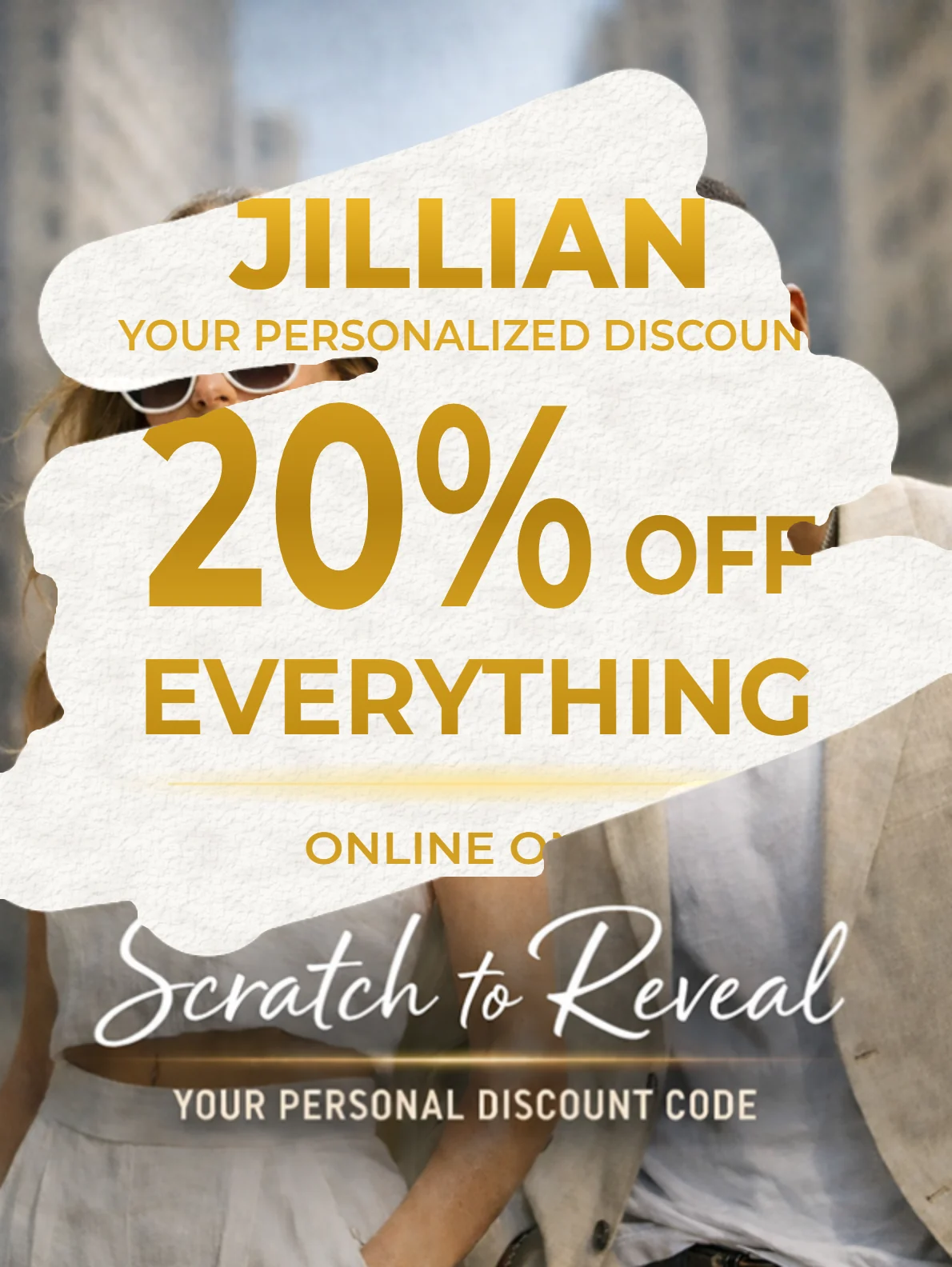
Let them discover
something personal.
Hide a birthday discount, a member's points balance or a thank-you gift behind your own artwork. The reveal can use an uploaded image or a NiftyImage personalized with recipient values.
The animation shows a member uncovering their points and purchases. To try a personalized discount, enter your name and open the fashion example on its hosted page.
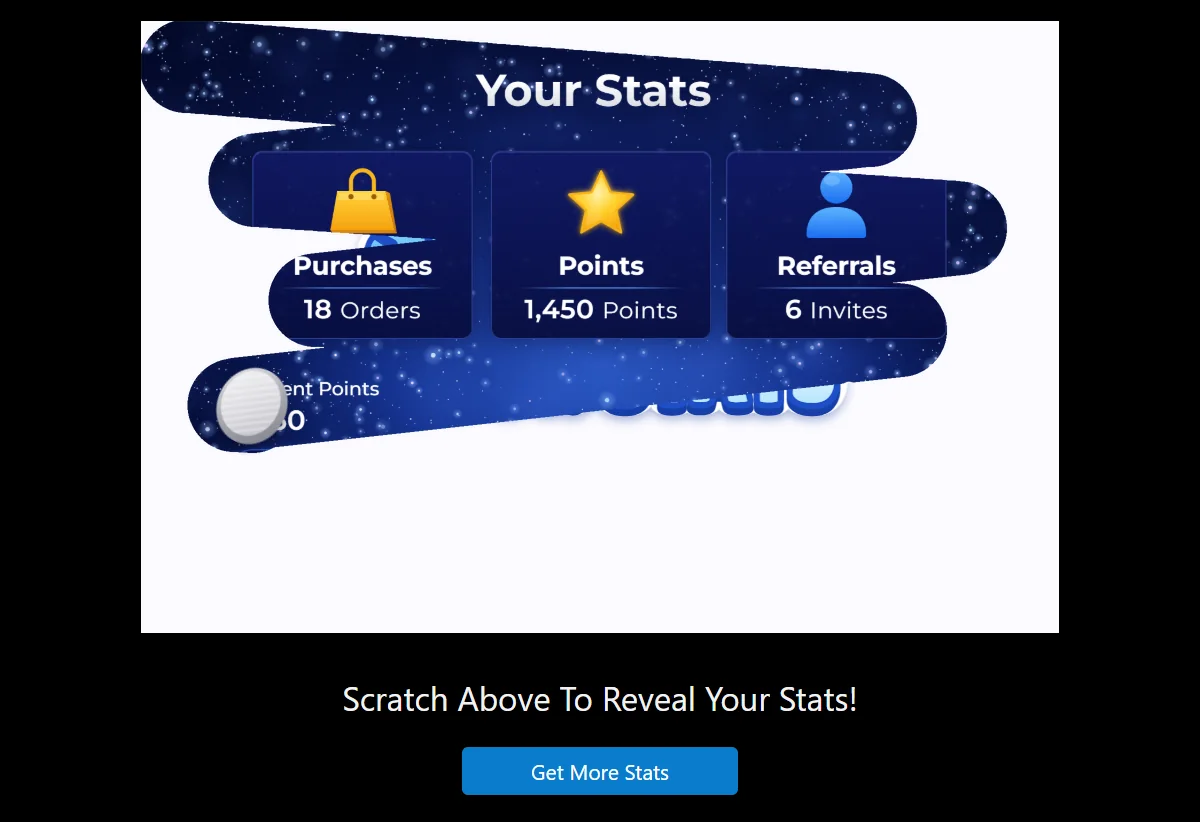
Make the surprise
look like your brand.
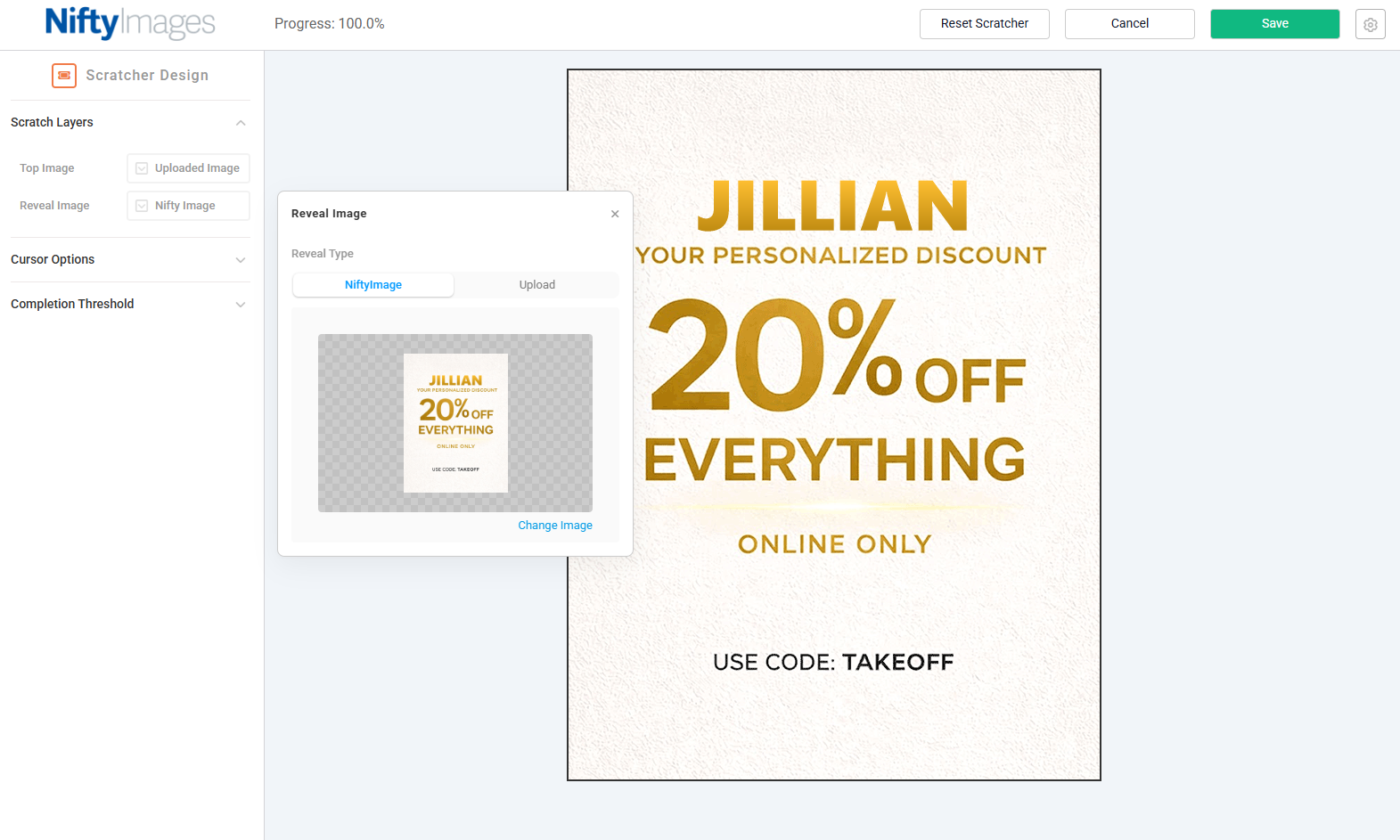
Choose what people see before they scratch and what they discover underneath. These editor views show a fashion campaign built around a personalized discount.
Choose the reward they uncover
Upload your offer artwork or choose an existing NiftyImage. A personalized image can show the recipient's name or offer; a countdown can show how long they have to use it.
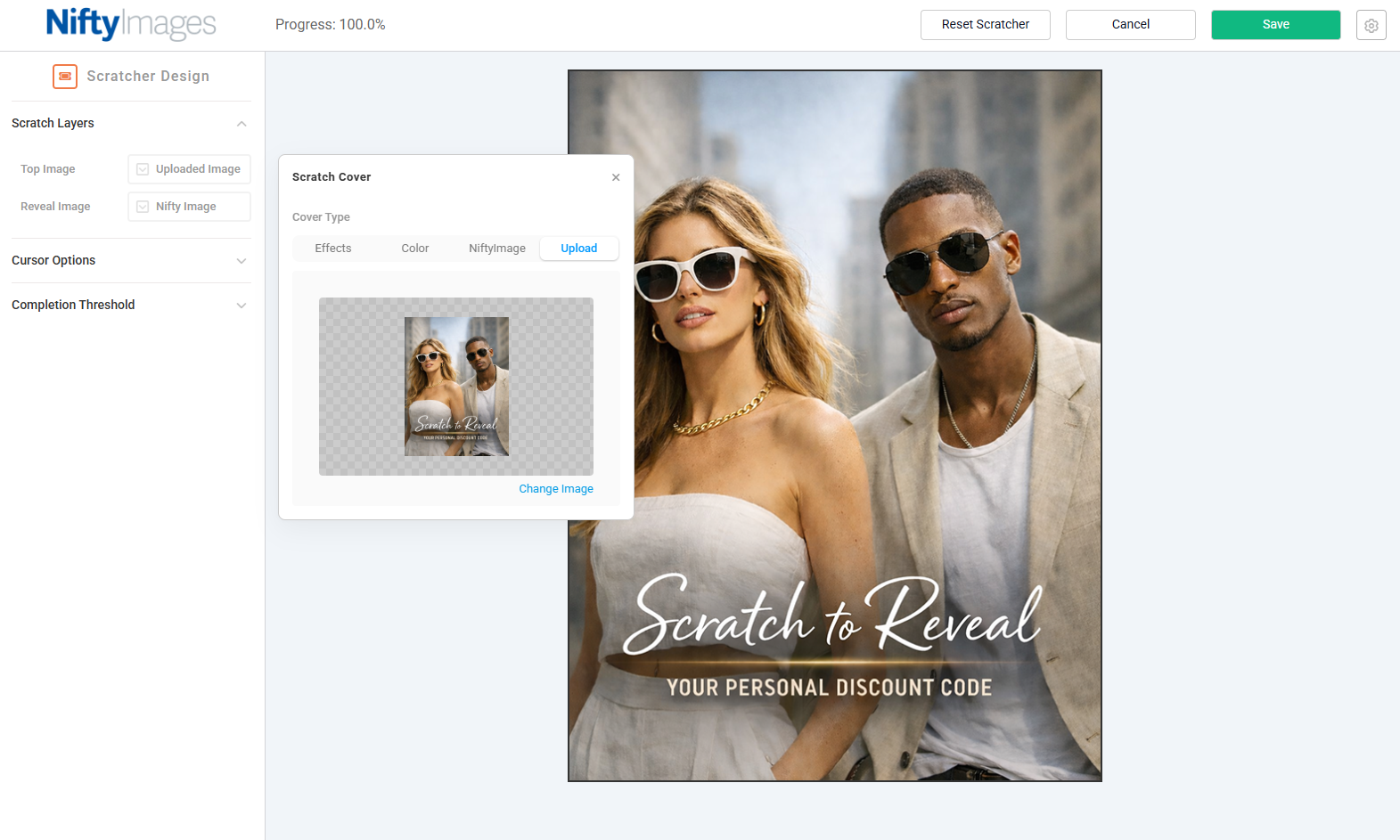
Give the offer a cover of its own
Use your campaign photography as the scratch cover, as shown here. Or choose gold, silver, grayscale or a solid color to hide the reward.
Give them a clear way
to use their offer.
Shape the scratch interaction and give recipients a clear next action on the hosted page. They can scratch with a mouse or touch on a phone.
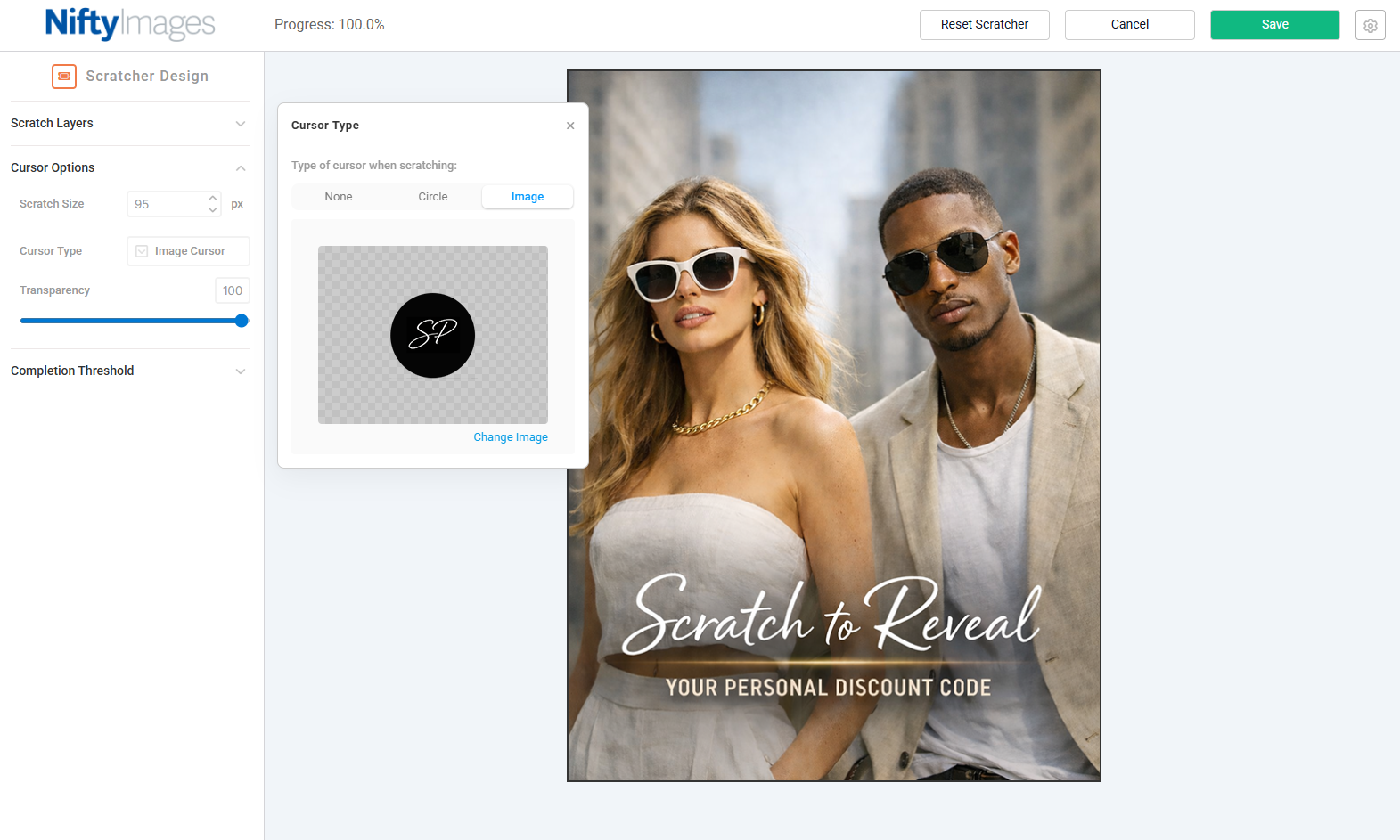
Make the cursor your own
Choose a standard circle or use your own logo as the scratch cursor. Adjust its size and transparency to suit the artwork.
Send them to redeem
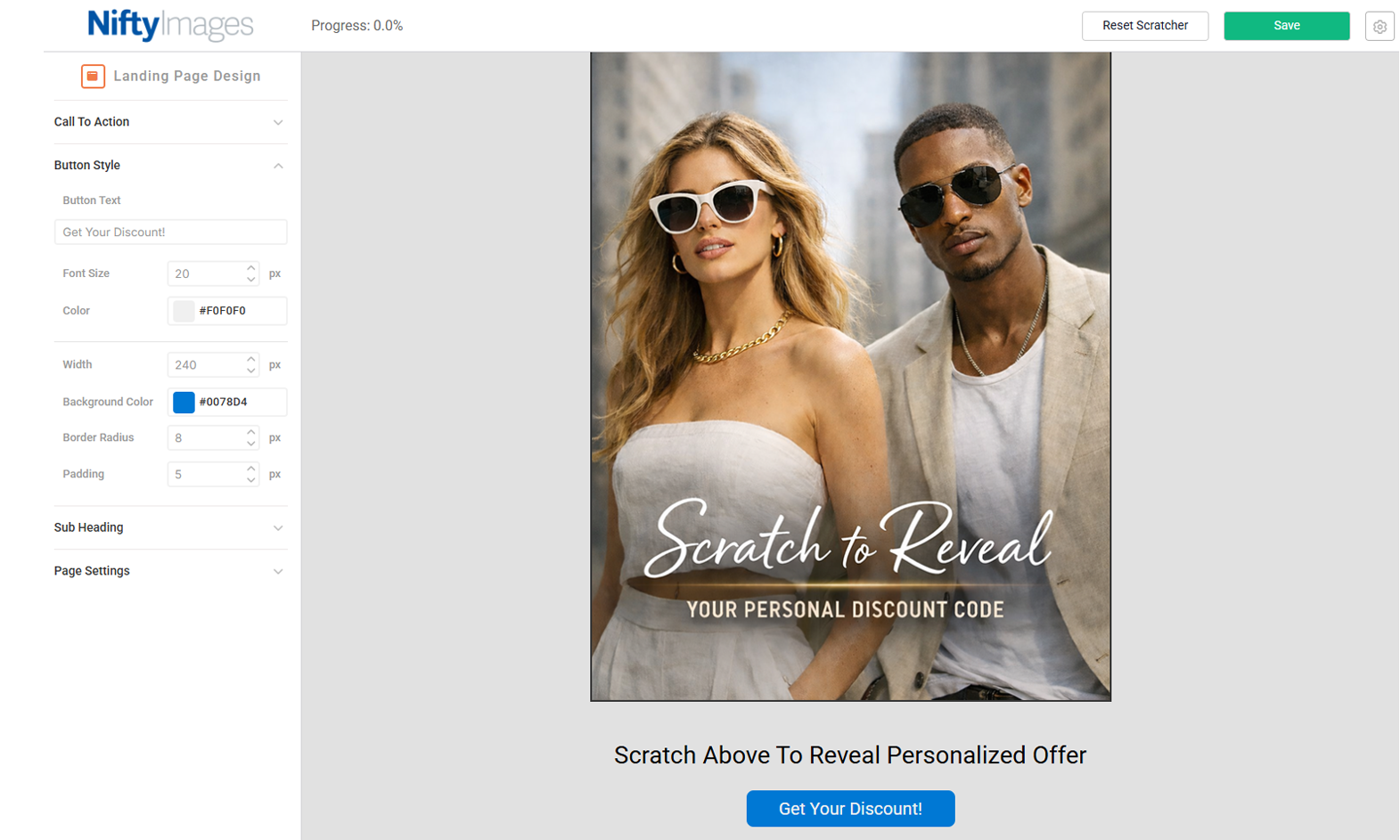
NiftyImages hosts the scratch page. Match its background, title and button to your campaign, then link the button to the destination where recipients can use the offer.
Finish with a full reveal
Set how much of the cover someone needs to scratch, then choose a completion animation to reveal the rest of the offer. This editor demonstration shows the glass-shatter effect.
Create your first scratcher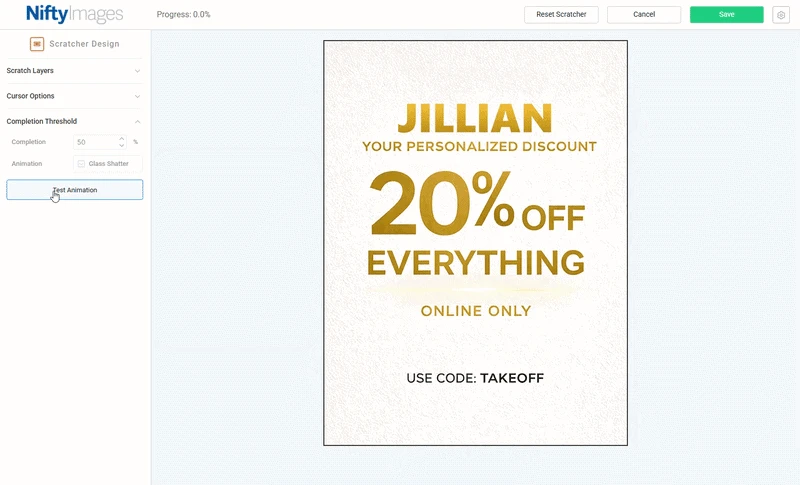
Start with an email
you already send.
Choose a birthday, loyalty or seasonal offer. Build the scratch experience in NiftyImages, then use your existing email platform to invite recipients to it.
Build the cover and reveal
Choose the artwork, configure the scratch behavior and style the hosted page and its call to action.
Link it from your email
Add the hosted page URL to an image, button or text link. For a personalized reveal, pass recipient values with your email platform's merge tags in that link.
Test the whole journey
Send a test email. Follow the link, scratch on a phone and desktop, and check that the revealed offer and redemption destination are correct.
Make your next reward
worth uncovering.
Give subscribers a personal offer to reveal, with your artwork and a clear path to redeem.
Create your first scratcher