The campaign moves on.
Your email can, too.

Help customers find an offer that fits their day, learn which message earns clicks, or give guests new venue details after plans change. Use NiftyImages to adapt campaign images in your brand's style, through your existing email platform.

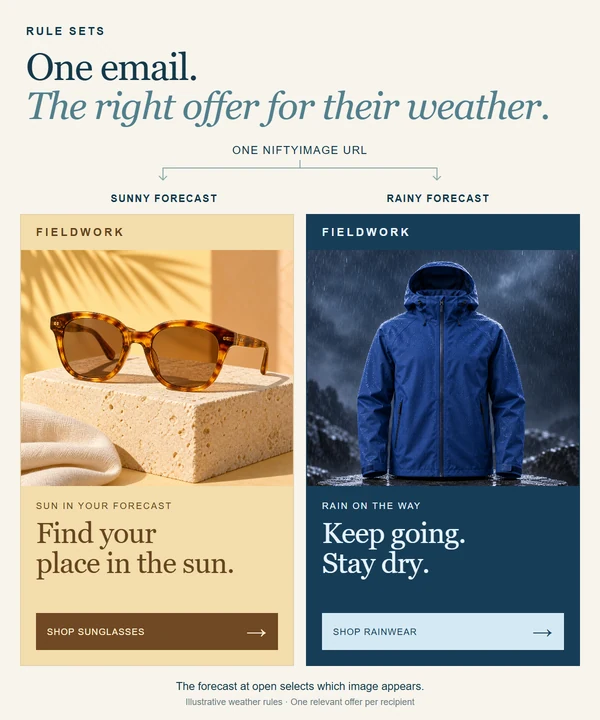
Illustrative rule comparison: sunglasses for sun or a rain jacket for rain. The recipient sees the selected image.

Help customers shop
for their forecast.

Give shoppers a reason to browse products that suit their day. Show sunglasses for sun or a jacket for rain, in your brand's style. Weather rules choose the image and shopping link using the conditions you set. Prepare a fallback for when no rule matches, including when the forecast is unavailable.

Explore rule sets
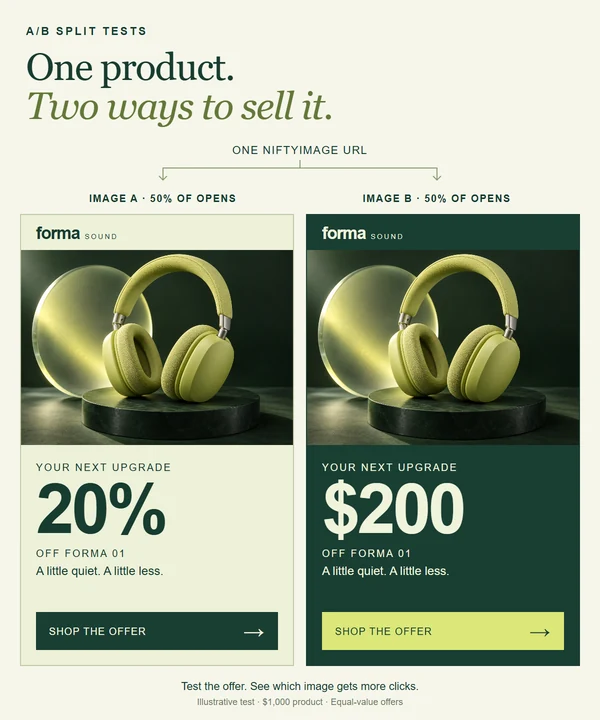
Illustrative A/B comparison of headphones at 20 percent off or 200 dollars off, with a sample traffic split. Each image request gets one version.

Learn which offer
earns the click.

Compare 20% off with $200 off to learn which message draws shoppers to explore. Set the traffic split and choose how and when to select a winner, using click results or your own choice. NiftyImages then serves the selected image and link on later image requests.

Explore A/B split tests
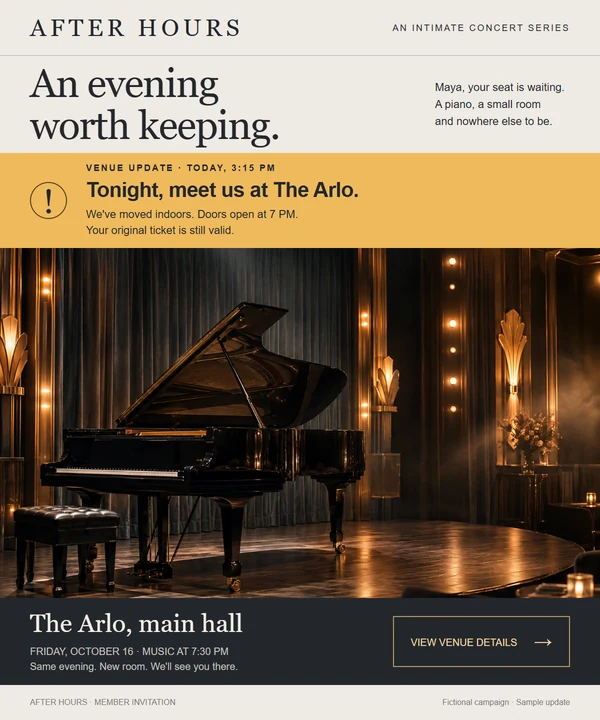
Concert invitation with an amber venue update banner above a grand piano

Help guests find
the new venue.

An invitation should help guests get to the right place even after plans change. Include a hidden Critical Message before you send, then turn on a venue update when you need it. Emails containing that notice can show the new details when its image is fetched again.

Explore critical messages

Give late readers
a useful next step.

Build anticipation before a launch, invite customers to shop when it starts, and offer a next step after it closes. Date rules select the image and link for each stage when the image is requested. Email apps can reuse cached images, so a new open may still show an earlier version.

Build on the campaigns
you already send.

Start with an email on your calendar where timing or context changes what customers need. Create the versions in your brand's style and use the email platform your team already knows.

  1. Choose the customer moment

    Pick a launch, an offer comparison or an event invitation. Decide what customers should see and where you want them to go next.

  2. Prepare for what changes

    Create the artwork for each offer or stage. Set the rules or test settings, or prepare a hidden notice you can activate if plans change.

  3. Try it in your next send

    Add the NiftyImages content and link to your email. Preview the different versions in your existing platform before sending, then manage the rules, test or notice in NiftyImages.

Give your next campaign room to adapt.

Choose an upcoming launch, an offer you want to compare or an event that needs a plan for changes. Decide what customers should see next, then try it in your existing email platform.

Rule sets, A/B split tests and critical messages are included in Scale. See plans.